
SPAM Wars

  • I’ve received a spate of bogus emails lately so I did some research. I hope you’ll join me in the defense effort. Sy and the gang will be back next week.

I hate electronic SPAM. You’re probably with me on this – Stupid Pointless Annoying Messages in your email inbox, cluttering up the place and getting in the way of communications you really want or may even need to receive.

The SPAM tide keeps rising – legit and fake ads, legit and fake charity pleas, legit and fake political pitches, fake personal notes, any of which may be phishing attacks or vehicles for malware.

You can do something about that.

When I get an email, I wonder: Is that email really from who it says it’s from? Does it carry hidden malware? Will that clickable thingie do exactly and only what it says it’ll do? If I reply, will my reply go to the sender and nowhere else?

Those questions bother the communications infrastructure, too. SPAM parasitizes server and carrier resources that cost real money. The Internet Engineering Task Force (IETF) is on the case.

IETF’s defense strategy tries to snuff SPAM early in the transmission process. The part of an email address after the @-sign is called its domain. Each domain has an owner who is responsible for protecting their domain’s output. If a mail item’s FROM: address names a domain it’s not authorized to use (called “spoofing” in the trade), IETF-supplied protocols (if you’re curious, they’re SPF, DKIM and DMARC) can block the item –  IF the domain owner has properly configured their system to block spoofing.

But suppose a slippery item aimed at you gets past that defense. Here’s where self-defense comes into play. You have help, but that help depends on you and many other email recipients raising penalty flags on the bad guys.

Your Mail User Agent, the place you go to look at your emails, is another gate-keeper along the path. These range from huge (Outlook, gmail, Apple Mail) to tiny (maybe you have your own personal mail server).  Your MUA may be configured with filters that can inspect and block incoming emails before you see them.

Inspect? Sounds like Big Brother, right? In some places and at some times it might be, but these inspections have a different intent. What’s important is that they depend on penalty flags. Different filters (a MUA may use several) look and feel different, but basically the system records a penalty flag against every email you’ve marked as “Junk” or “SPAM” or bounced to your MUA’s abuse@ or fraud@ mailbox. Check whether they have one — if so, save its address.

Conversely, it’s good to mark “Not SPAM” on something you find in your Junk or SPAM folder that shouldn’t be there. In the trade that’s a “false positive”; your “Not SPAM” lowers the penalty level.

Each filter has its own way to use our flags – some build a blacklist of heavily‑penalized domains; some look for suspiciously hidden links or known malware attachments; some use pattern matching to suss out significant phrases or graphics shared among groups of flagged emails, tactics abound. The tricksters are tricky, though, so catching SPAM is a continuously‑escalating game of whack‑a‑mole.

The threats have created a demand for A.I. in this application. I don’t want A.I. that’s been trained on the unpaid work of legitimate creators, but I do want A.I. that’s been trained on SPAM. Even A.I. needs real‑time updating, which is why we’re a vital part of the feedback loop. Our self‑defense is in recognizing and flagging each speck of SPAM we see.

What do we look for? Some caution signals:

  1. If it asks for money AND it’s in a hurry. OK, political email does that, but so do scammers. (Yes, they may overlap, but.)
  2. Poor grammar and spelling. Believe it or not, this is often on purpose. The idea is to make the recipient feel smarter than the sender, too smart to fall for anything, and thus actually a little bit less leery.
  3. Requests for personal information, including as part of an online “survey.”
  4. FROM: or REPLY: addresses that don’t look right. If it comes from gmail.com it’s probably not really from your bank.
  5. Related: Links via bit.ly – you never know where they’ll take you until you’re there.
  6. And this is basic: If it looks too good to be true, it generally is too good to be true.

Please use those flags aggressively and help us stay safe out there.

~ Rich Olcott

Y2K plus 25 plus 2½

Mike reminded me of the task we took on mid‑year in 1997, 27½ years ago. If I recall correctly, that’s when the IT department we worked for got serious about New Year’s Day 2000.

This was an outgrowth of our disaster preparedness project. Some context: large corporation, HQ and most of the manufacturing in New Jersey, the rest in Memphis. The good news: the IT center was in Memphis where I lived. The bad news: Memphis is on the eastern edge of Tornado Alley’s range from Oklahoma across central Arkansas. Most of the twisters seem to dodge north or south around the city, but you never know.

True story — The Memphis plant had an Uninterruptible Power Supply (UPS) facility housed in a separate structure behind the computer room. The UPS held a ton of lead‑acid batteries and power conditioning equipment, plus an automated diesel generator outside. One thunderstormy afternoon a lightning bolt took out the power line to the building. Everything went dark. The UPS kicked in within milliseconds and our IT equipment kept running just fine — until a second lightning bolt took out the generator. The utility’s linemen, bless ’em, had us powered back up a few hours later and just minutes before Management’s deadline for declaring a disaster.

“Declare a disaster” means you kick over to your spare copy “in The Cloud,” right? Not in those days. The Cloud (which really is market‑ese for “somebody else’s computer”) isn’t a viable operation without telecomm speeds a hundred times faster than the comm lines we had in the 1990s. Back then Disaster Recovery (DR) was a multi-step process:

  • Backup your essential programs and data onto tape
  • Truck the tapes to a secure distant storage vault
  • When/if a disaster is declared, move operations to an offsite DR center that offers comparable IT facilities (computers, data storage, network connections, etc.)
    • Truck the tapes to the DR center. People, too, if necessary.
    • Read the tapes onto DR center storage.
    • Pray that your backups in fact had all the stuff you need and that the data’s sufficiently up‑to‑date for business requirements.

Clunky, huh? But the process gave us practice in cloning our systems and thinking about risks. That’s where our Y2K prep started.

The real “Y2K problem” wasn’t the 2‑digit‑year design flaw, it was the impossibility of doing reliable date logic or calculations when the dates in question might be in either century. Did “X” happen before or after a deadline? No way to know when “12” is all you’ve got to work with. Fixing the problem was a multi‑prong challenge:

  • Revise the data structure to hold a four‑digit year.
  • Revise the stored data with the right four‑digit year numbers.
  • Revise the programs that handle the data but…
  • Don’t break the programs that you revise.

Most of the program updates weren’t particularly challenging, it’s just that there were so many of them. Some enterprises knew their own software well enough that they did that work in‑house. Others shipped the work overseas, a tremendous boon to India’s fledgling software industry. Still others said, “Our competitive advantage is our product line and marketing team, not our home‑grown programs. We’ll convert to an industry‑standard replacement even though we’ll have to change how we’ve been doing business.”

Whichever strategy was chosen, the devil was in the testing. No way could new code or data structures be checked out with live data on our production system.

We needed a testbed, a sandbox, “System 2K,” whatever you want to call it, that was isolated from the live systems we made our money from. It had to have no‑leaks portals for programmer access, code revisions and artificial test‑case data. Most importantly, its system clock had to be adjustable to any future date.

That’s where my team came in. Using what we’d learned from our DR practice runs, we cloned our running system and bolted on some tricksy infrastructure. Don’t ask about technical details, that’s a quarter‑century ago and I don’t remember them.

But I’m proud to say that New Year’s Day 2000 was boring.

~ Rich Olcott

  • Thanks to Mike Newsom, whose comment inspired this post, and to Bob, Susie, Ralph, Tom, Doug, Mick, Don, Roy and the rest of the project team.

A Nightcap And Secrets

“A coffee nightcap, Sy? It’s decaf so Teena can have some.”

“Sounds good, Sis.”

“Why didn’t Mr Einstein like entanglement, Uncle Sy? Thanks, Mom. A little more cream in it, please.”

“I’ll bet it has to do with the instant-effect aspect, right, Sy?”

“Thanks, Sis, and you’re right as usual. All of Relativity theory rests on the claim that nothing, not light or gravity or causality itself, can travel faster than light in a vacuum. There’s good strong arguments and evidence to support that, but Einstein himself proved that entanglement effects aren’t constrained to lightspeed. Annoyed him no end.”

“Well, your coin story‘s very nice, but it’s just a story. Is there evidence for entanglement?”

“Oh, yes, though it was fifty years after Einstein’s entanglement paper before our technology got good enough to do the experiments. Since then a whole industry of academics and entrepreneurs has grown up to build and apply devices that generate entangled systems.”

“Systems?”

“Mm-hm. Most of the work has been done with pairs of photons, but people have entangled pairs of everything from swarms of ultra‑cold atoms to electrons trapped in small imperfect diamonds. It’s always a matter of linking the pair members through some shared binary property.”

“Binary! I know what that is. Brian has a computer toy he lets me play with. You tell it where to drive this little car and it asks for decisions like left‑right or go‑stop and they’re all yes or no and the screen shows your answer as ‘0’or ‘1’ and that’s binary, right?”

“Absolutely, Teena. The entangled thingies are always created in pairs, remember? Everything about each twin is identical except for that one property, like the two coin metals, so it’s yes, no, or some mixture. Cars can’t do mixtures because they’re too big for quantum.”

“What kinds of properties are we talking about? It’s not really gold and silver, is it?”

“No, you’re right about that, Sis. Transmutation takes way too much power. Entangled quantum states have little or no energy separation which is one reason the experiments are so hard. Photons are the easiest to work with so that’s where most of the entanglement work has been done. Typically the process splits a laser beam into two rays that have contrasting polarizations, say vertical and horizontal. Or the researchers might work with particles like electrons that you can split into right‑ and left‑handed spin. Whatever, call ’em ones and zeroes, you’ve got a bridge between quantum and computing.”

“Brian says binary can do secret codes.”

“He’s right about that. Codes are about hiding information. Entanglement is real good at hiding quantum information behind some strict rules. Rule one is, if you inspect an entangled particle, you break the entanglement.”

“Sounds reasonable. When you measure it you make it part of a big system and it’s not quantum any more.”

“Right, Sis. Rule two, an entanglement only links pairs. No triples or broadcasts. Rule three is for photons — you can have two independent ways to inspect a property, but you need to use the same way for both photons or you’ve got a 50% chance of getting a mismatch.”

“Oho! I see where the hiding comes in. Hmm… From what I’ve read, encryption’s big problem is guarding the key. I think those three rules make a good way to do that. Suppose Rocky and Bullwinkle want to protect their coded messages from Boris Badinoff. They share a series of entangled photon pairs. and they agree to a measurement protocol based on the published daily prices for a series of stocks — for each photon in a series, measure it with Method 1 if the corresponding price is an odd number, Method 2 if it’s even. Rocky measures his photon. If he measures a ‘1’ then Bullwinkle sees a ‘0’ for that photon and he knows Rocky saw a ‘1.’ Rocky encrypts his message using his measured bit string. Bullwinkle flips his bit string and decrypts.”

“Brilliant. Even if Boris knows the proper sequence of measurements, if he peeks at an entangled photon that breaks the entanglement. When Bullwinkle decodes gibberish Rocky has to build another key. Your Mom’s a very smart person, Teena.”

~ Rich Olcott

Solving Sleipnir’s Problem

Vinnie leans back in his chair, hands behind his head. “Lessee if I got this straight. The computer’s muscles are its processors. It can have a bunch of them, different kinds for different jobs like a horse has different muscles for different moves. Computers got internal networks to connect the processors like a horse has tendons and ligaments. Me and Sy got a beef going about the bones, whether it’s data or memory ’cause nothing happens without both of ’em. That a good summary?”

“That’s about the size of it.”

“So what was that crack about some eight-legged horse being the most interesting case?”

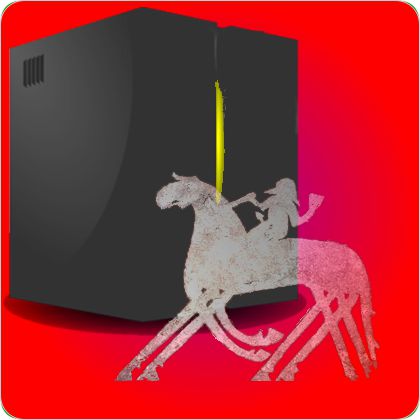
Sleipnir image adapted from the Tjängvide runestone
from Wikimedia Commons under CC 4.0 license

Robert grabs a paper napkin. Coffee shop proprietor Al winces. “Consider the kangaroo. It has two legs and it uses both at the same time when it hops around. I’ll diagram its feet with 1 and 2 and color them both red, OK?”

“Kangaroo hopped through some red paint, gotcha.”

“A human has two feet and we alternate between them when we walk. Like this second pattern — red foot, blue foot, over and over. Then there’s your standard horse with four legs — many more possibilities, right? For one, the front pair and the back pair each can act like a simple walk but independently, like the third row here.”

Meanwhile, I’m fiddling with Old Reliable and find this video. “That’s a good description of the basic gait that the horsemen call the walk, no surprise.”

Vinnie’s looking at the video over my shoulder. “Huh! Look here at the trot. The front and rear legs on opposite sides work together but in-between the beat of the other pair. I suppose you’d draw it like this fourth sketch, right?”

“That’s the idea. I’m only keeping track of which feet get used at the same time or opposite times. I’m sure there are other combinations that don’t fit the two-color model.”

Vinnie’s still watching the video. “Say this one. The gallop is like it’s walking with its front feet and kangarooing off that beat with its back ones.”

“Well, there you go. On to my point. Sy, what’s a horse’s most important decision if it’s not going to trip up?”

“Which foot it’s going to move next, I suppose. Oh, I see where you’re going. Odin’s eight-legged horse would have a serious coordination problem — which legs to pair together and what order they’d work in.”

“Exactly. No surprise, a computer has the same coordination problem unless it’s extremely specialized. As soon as you have multiple tasks demanding service, yet another task has to direct traffic. That’s basically where operating systems come into play. An OS has low-level code that stands between the application programs and the hardware resources.”

“What’s it doing there besides getting in the way?”

“Simplifying things, Vinnie. You don’t want to recode your program or buy a new version of your spreadsheet software when you plug in a new hard drive. When your application issues a call to transfer some data to or from your hard drive, the OS translates that into bit-level instructions the hard drive understands. A different device from a different manufacturer probably uses different command bits. No problem, your OS satisfies your next I/O call with whatever instructions that device understands. But an OS does more than that.”

“Like what else?”

“Lots of things. Security, for one — it makes sure you’re authorized to logon and touch certain data. Network interfacing for another. But for system performance the critical OS functions involve choosing who gets how much resource to work with.”

“Like disk space? I keep hitting my limit in the Cloud.”

“The Cloud’s a whole ‘nother level of complicated, but yeah, like that. The OS addresses performance by managing CPU time, throttling back low-priority tasks to give more time to high-priority work.”

“How’s it know the difference?”

“Depends on the OS. Generally it boils down to a list of privileged program names and user-ids versus everyone else.”

“How’s it do the throttling?”

“That also depends on the OS. Some of them meter out time slices, others fiddle with dispatch priority. Tricky business.”

“Tricky as running an eight-legged horse.”

~~ Rich Olcott

Memories: The Corners of Your Mind

Vinnie doesn’t let go of a question. “OK, Robert, I got that a computer’s internal network is sorta like a horse’s sinews, tying muscle and bone together. An’ I got that a computer’s processors of whichever kind are like a horse’s muscles. But what does for a computer what bones do for a horse?”

“The ‘bones’ are a bit of a stretch, Vinnie. Data’s one possibility, memory or storage is the other one.”

Vinnie takes the bait. “Horse muscles move horse bones. The processors move data, so data’s got to be the bones.”

For the sake of argument, I come back. “But when the electricity turns off, the data goes away, right? Memory’s still there, so memory must be the bones. Or is it storage? What’s the difference between memory and storage?”

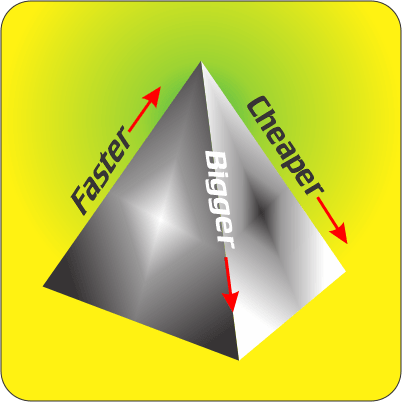
“You’ve put your finger on it, Sy — persistence. If the data’s retained when the power’s off, like on a hard drive, it’s in storage. Otherwise it’s in memory. Setting aside power glitches, of course — a bad glitch can even kill some kinds of storage and the data it’s holding, which is one reason for doing backups. As a general rule, memory is smaller, more expensive and much faster than storage so there’s a trade-off. If you want a lot of speed, load up on fast memory but it’ll cost you cash and resilience.”

“I’ll bet that’s where your special skills come in handy, right, Robert?”

“Pretty much, Vinnie. The trick is to get the right data into the right kind of memory at the right time.”

“The right kind…?”

“Ohhhyeah, there’s a whole hierarchy out there — on-chip memory essentially inside the processor, on-board memory on separate chips, off-board memory and storage…. It goes on all the way out to The Cloud if you’re set up that way. There’s even special memory for keeping track of which data is where in the other memories. The internal network plays into it, too — the data bus to a given memory could be just a byte wide or many times fatter, which makes a big difference in access speed. The hardware takes care of some data placement automatically, but a lot of it we can affect with the software. That’s mostly where I come in.”

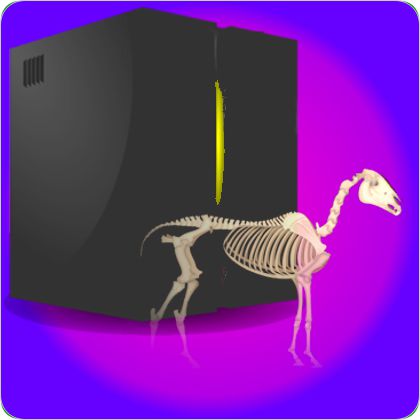
Horse skeleton from Wikimedia Commons by CC license

“Doin’ what? The hardware’s pretty much what your boss already bought, not much you can tinker with there. The bits are zoomin’ around inside at electronic speeds, you can’t pick and choose where to put ’em.”

“Yes, we can, if we’re smart and careful. You know Michael Corleone’s line, ‘Keep your friends close but your enemies closer‘? With us it’s ‘Keep your next data byte close but your next program instruction closer.'”

The Memory Pyramid

“Whuzzat mean?”

“What you want to do is have bytes ready for the processor as soon as it’s ready to work with them. That means predicting which bytes it’ll want next and getting those to the top of the memory pyramid. Programs do a lot of short loops, enough that standard architectures have separate instruction memories just for that.”

“So how do you do that predicting? Like Vinnie said, things move fast in there.”

“You design for patterns. My favorite is sequential-and-discard. When you’re watching a movie you look at frames in series and you rarely go back. In the computer we deliver sequential bytes in an orderly manner to fast memory but we don’t have to worry about storing them back out again. Easy-peasy. Sequential-and-store is also highly predictable but then you have to down-copy, too.”

“Yeah, either way the data just flows through. What others?”

Periodic is useful if you can arrange your program and data to exploit it. If you know a just-used series of bytes are going to be relevant again soon, you try to reserve enough close-in memory to hold onto them. Data references tend to spread out but sometimes you can tilt the odds by clumping together related bytes that are likely to be used together — like all weather data for one location.”

“What if you don’t have any of those patterns?”

“Worst case scenario. You guess periodic, buy lots of memory and cross your fingers.”

~~ Rich Olcott

Computer Power, Or Not

A voice from the scone line behind me. “That’s like poetical, sayin’ a horse’s sinews tie muscle to bone and a computer’s internal network is like sinew ’cause it ties things together the same way. But what does for the computer what muscle and bone do for a horse? Hi, Robert, I’m Vinnie, me and Sy here go way back. I’ll have a strawberry scone, Al, and these guys are on me.”

“Sure thing, Vinnie, here ya go.”

“Thanks, Al.” “Thanks, Vinnie.” “Thanks — Vinnie, is it?”

“Yeah. Glad to meetcha. So what are they?”

“The computer equivalent of horse muscle and bone? Well, the horse’s muscle activity generates its power so the computer’s ‘muscles’ are clearly its processors.”

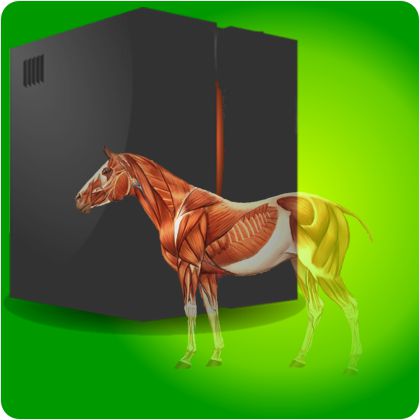
Horse musculature from artwork by Jenny Stout, with permission

“Processors, plural? My heavy-duty desk machine only has one CPU thingy in there, I looked.”

“Only one chip package, Sy, but there’s a lot inside that black block. Your ‘Central Processing Unit’ is probably multi-core, which means it has somewhere between four and dozens of more-or-less independent sub-processors, each with its own set of registers and maybe even local cache memories. If your operating system is multi-core-aware, at any given moment your system could be running a different program on each core.”

“Hey, you’re right, I often download emails and browse the internet at the same time I’ve got a big calculation going. Doesn’t seem to slow it down.”

“Mm-hm. I like to call those cores eccentric processing units because they’re not really central.” <Vinnie pretends to grab Robert’s scone.> “You’ve got a video card in there, too, right?”

“Of course.”

“This may come as a shock, but you probably have more raw compute power on that card than you do in your CPU module. The card’s primary chip has hundreds of millions of transistors allocated to hundreds or thousands of simple-minded micro-micro-processors ganged together to do identical calculations on separate inputs. Rotating a 3-D object, for example, requires four multiplications and an addition for each x-, y- and z-coordinate of every point on the object. No if-then logic, just a very small arithmetic program repeated a gazillion times.”

“So the main CPU doesn’t have to do that.”

“Right. Same principle, you may have ASICs in there devoted to certain tasks like network interfacing.”

“A-six?”

Application Specific Integrated Circuits. They’re everywhere from your smartphone to your hobby drone.”

“Don’t have a hobby drone, use mine for business.”

“OK, your business drone, Vinnie. Your drone and its controller both use ASICs.”

“How will the quantum computer play into this, Robert? I’ve been reading how it automagically tries all possible solutions and instantly comes up with the one that solves the problem.”

“That’s hype, mostly. Quantum computing could indeed give quick solutions, but to a very limited set of problems. For instance, everyone talks about factoring special large numbers. When QC succeeds in that it’ll disrupt internet security, cryptography, blockchain applications and a couple more not-here-yet technologies that depend on factorization being hard to do. But QC can only tackle problems that involve a small amount of data. It’s no good for Big Data kinds of problems like weather modeling or fingerprint matching or rummaging through a medical database to find the optimal treatment for a given collection of clinical findings.”

“Why’s that?”

“A quantum CPU works with a set of constraints and inputs. It does its tryeverything thing to generate an output that’s consistent with the constraints and input. The factorization constraint, for example, is just one algorithm. The input is a single number. The output is one set of factors. Compare that with the weather problem where the goal is to calculate the future weather for every kilometer-by-kilometer-by-kilometer cell of atmosphere on the globe. The constraint is a whole series of equations governing atmospheric gases (especially water) together with the topography of the underlying surface. Each cell’s input is all the measurable weather variables (temperature, humidity, wind velocity, clouds, whatever) plus history for that cell and its neighbors. The output per time-step is predicted weather variables for a billion cells. Quantum’s no help with that data flood — you need good networks.”

~~ Rich Olcott

The Lengths We Go To

A new face in the scone line at Al’s coffee shop. “Morning. I’m Sy Moire, free-lance physicist and Al’s steadiest customer. And you’re…?”

“Robert Tobanu, newest Computer Science post-doc on Dr Hanneken’s team. He needed some help improving the performance of their program suite.”

“Can’t he just buy a faster computer?”

“He could if there is a faster computer, if his grant could afford its price tag, and if it’s faster in the way he needs to solve our problems. My job is to squeeze the most out of what we’ve got on the floor.”

“I didn’t realize that different kinds of problem need different kinds of computer. I just see ratings in terms of mega-somethings per second and that’s it.”

“Horse racing.”

“Beg pardon?”

“Horse speed-ratings come from which horse wins the race. Do you bet on the one with the strongest muscles? The one with the fastest out-of-the-box time? The best endurance? How about Odin’s fabulous eight-legged horse?”

“Any of the above, I suppose, except for the eight-legged one. What’s this got to do with computers?”

“Actually, eight-legged Sleipnir is the most interesting example. But my point is, just saying ‘This is a 38-mph horse‘ leaves a lot of variables up for discussion. It doesn’t tell you how much better the horse would do with a more-skilled jockey. It doesn’t say how much worse the horse would do pulling a racing sulky or a fully-loaded Conestoga. And then there’s the dash-versus-marathon aspect.”

“I’m thinking about Odin’s horse — power from doubled-up legs would be a big positive in a pulling contest, but you’d think they’d just get in the jockey’s way during a quarter-mile dash.”

“Absolutely. All of that’s why I think computer speed ratings belong in marketing brochures, not in engineering papers. ‘MIPS‘ is supposed to mean ‘Millions of Instructions Per Second‘ but it’s actually closer to ‘Misleading Indication of Processor Speed.'”

“How do they get those ratings in the first place? Surely no-one sat there and actually counted instructions as the thing was running.”

“Of course not. Well, mostly not. Everything’s in comparison to an ancient base-case system that everyone agreed to rate at 1.0 MIPS. There’s a collection of benchmark programs you’re supposed to run under ‘standard‘ conditions. A system that runs that benchmark in one-tenth the base-case time is rated at 10 MIPS and so on.”

“I heard voice-quotes around ‘standard.’ Conditions aren’t standard?”

“No more than racing conditions are ever standard. Sunny or wet weather, short-track, long-track, steeplechase, turf, dirt, plastic, full-card or two-horse pair-up — for every condition there are horses well-suited to it and many that aren’t. Same thing for benchmarks and computer systems.”

“That many different kinds of computers? I thought ‘CPU‘ was it.”

Horse photo by Helena Lopes on Unsplash

“Hardly. With horses it’s ‘muscle, bone and sinew.’ With computers it’s ‘processor, storage and network.’ In many cases network makes or breaks the numbers.”

“Network? Yeah, I got a lot faster internet response when I switched from phone-line to cable, but that didn’t make any difference to things like sorting or computation that run just within my system.”

“Sure, the external network impacts your upload and download performance, but I’m talking about the internal network that transports data between your memories and your processors. If transport’s not fast enough you’re wasting cycles. Four decades ago when the Cray-1’s 12.5-nanosecond cycle time was the fastest thing afloat, the company bragged that it had no wire more than a meter long, Guess why.”

“Does speed-of-light play into it?”

“Well hit. Lightspeed in vacuum is 0.3 meters per nanosecond. Along a copper wire it’s about 2/3 of that, so a signal takes about 5 nanoseconds each way to traverse a meter-long wire. Meanwhile, the machine’s working away at 12.5 nanoseconds per cycle. If it’s lucky and there’s no delay at the other end, the processor burns a whole cycle between making a memory request and getting the bits it asked for. Designers have invented all sorts of tricks to get those channels as short as possible.”

“OK, I get that the internal network’s important. Now, about that eight-legged horse…”

~~ Rich Olcott

  • Thanks to Richard Meeks for asking an instigating question.